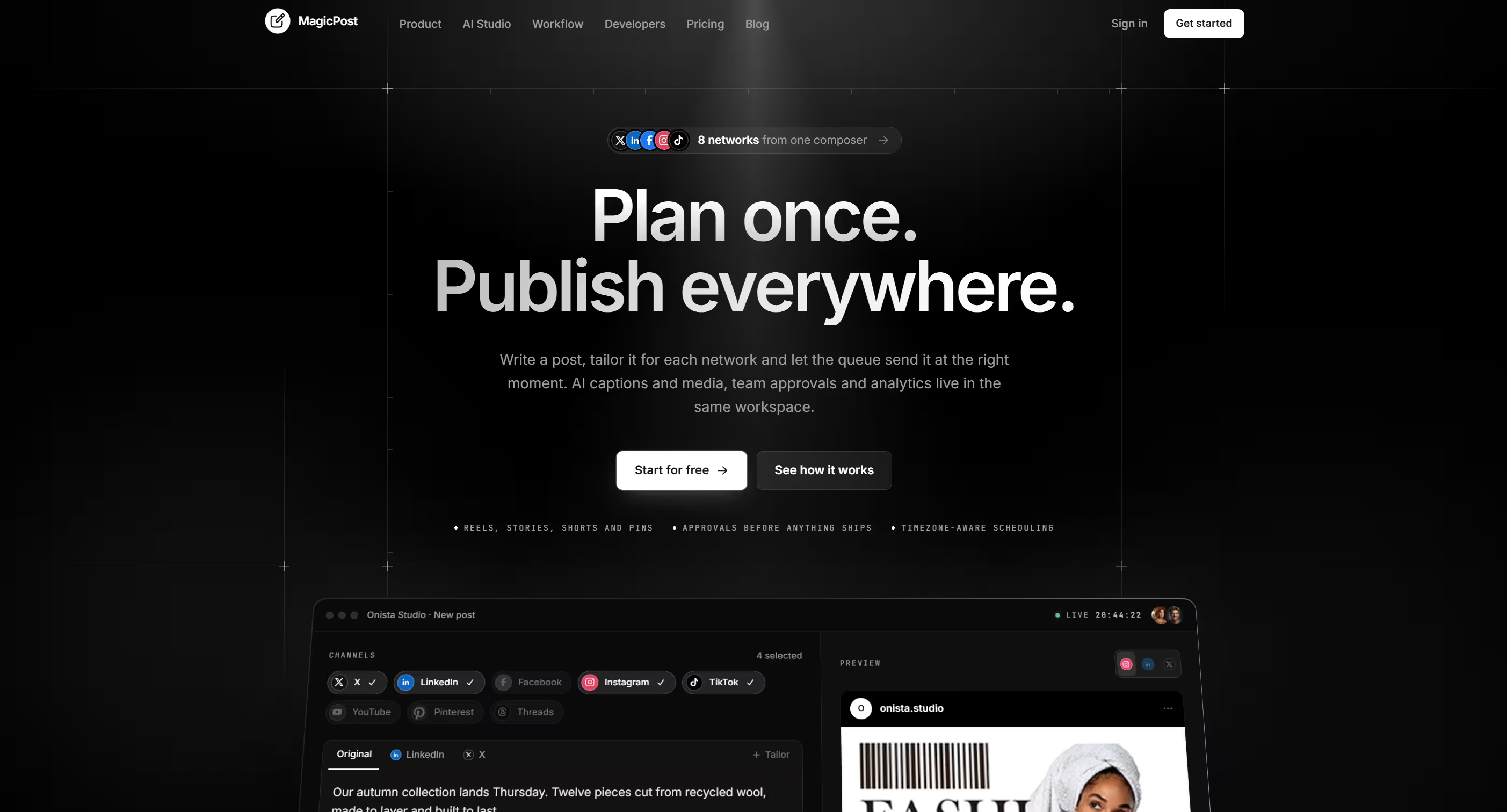
MagicPost is a complete, self-hosted social media management platform you can run as your own SaaS. Write a post once, tailor it for each network, schedule it, and publish to 10 networks: X, LinkedIn, Facebook Pages, Instagram, TikTok, YouTube, Pinterest, Threads, WhatsApp and Telegram. AI writes the captions and generates the images and video, and every post is checked against each network's real limits while you are still editing, so a post that would be rejected is flagged before it is sent.
Everything an operator needs is already in the box: separate accounts with their own channels, library and calendar, credit metering with per-model AI pricing, teams with an approval workflow, a public REST API, an admin panel that controls the whole site, and a setup wizard that checks server requirements before it writes a thing. Publishing runs through the cron scheduler rather than a queue worker, and a static FFmpeg build ships in the package, so it installs on standard shared hosting. The SaaS Business plugin adds plans, checkout and payment gateways when you are ready to charge.
The core platform
- Composer — one editor for every network. Write the shared text, then open a channel tab to override the text, first comment and network-specific options for that channel alone. A live preview shows one network or all of them, a checks panel lists anything a network would refuse, and the draft autosaves and warns before a reload can lose work.
- Per-network rules, enforced before you send — character counts, image count, format and size, video length and size, hashtag and mention caps and required fields come from one rule set per network. When a post would fail, you see which channel, which rule and which field.
- First comment, link preview and labels — add a first comment on 7 networks (X, LinkedIn, Facebook, Instagram, YouTube, Threads and Telegram), attach link previews on LinkedIn and Threads, and tag posts with up to 10 labels you can filter by.
- Publish now, schedule, queue or repeat — send immediately, pick a date and time in any time zone, drop the post into the channel's posting queue, or repeat it on a schedule with an interval, chosen weekdays and an end date.
- Posting queue — weekly time slots per channel, from four presets (once a day, three times a day, weekdays only, weekends only) or your own times. Queued posts take the next free slot.
- Best-time map — a heatmap of when each channel's posts perform best, built from its own last 90 days. Until a channel has enough measured posts, it falls back to the hours that usually work on that network and tells you so.
- Evergreen recycling — republish a post that did well every 7, 14, 30, 60, 90 or 180 days, a set number of times or until you stop it. Each repeat goes back through the composer, so today's content rules and plan limits still apply.
- Calendar — month, week, day and agenda views, filters by channel, status and label, and a new post that opens at the day or hour you clicked.
- Posts — every post with its status (draft, pending approval, scheduled, publishing, published, partially published, failed or paused), per-channel results, duplicate and CSV export. Failed publishes retry up to three times with growing delays, and posts stuck mid-publish are recovered automatically.
- Media Library — chunked uploads for large videos, folders, search, sorting, grid and list layouts, alt text, rename and move, and poster frames pulled from videos. Images are re-encoded and resized into whatever each network accepts, such as PNG to JPEG for Instagram, and your original is never touched.
- Per-channel crops — set the focal point of a picture once, then choose a crop for each channel. The subject stays in frame on every network.
- Your watermark — upload one mark and it is placed on images on their way to the networks. With billing on, a plan can waive it.
- RSS feeds — turn a blog or news feed into drafts or queued posts on the channels you choose, using a title-and-link template with the article image attached.
- Bulk CSV import — import a spreadsheet of posts from a downloadable template. Every row is checked the way the composer checks a post, so you see which rows will go in, and why the others will not, before anything is written.
- Analytics — engagements, impressions and post counts per channel, compared with the previous period, with top posts and a breakdown by format. WhatsApp shows delivered, read and reply counts, and Telegram shows reactions and replies. When a channel's figures stop syncing, the page says why instead of showing a flat chart.
- Channel health — tokens refresh before they expire, channels are checked hourly, and a network that rejects an authorisation flags the channel for reconnect before a scheduled post fails. Networks that support it can send a private test post.
- Notifications — an in-app inbox with per-user preferences, and platform-wide announcements from the admin.
AI that writes, designs and animates
- AI Caption Writer — 8 modes: write from a subject, rewrite, shorten, generate scroll-stopping hooks, translate, write from a link, suggest hashtags, and adapt one post for every selected network in a single run within each network's hard character limit. Pick from 5 tones and 28 languages, ask for 1 to 5 variants, and toggle hashtags and emoji. Vision-capable models can look at the pictures attached to the post.
- Alt text with one click — accessible descriptions for your images, written by AI and capped at a length most networks accept.
- Brand Voices — save a voice with its tone, audience, rules, preferred hashtags and sample posts, and mark one as the default. It outranks the generic tone in every caption run. A saved-captions library keeps the lines you reuse.
- Image Studio — generate pictures from a prompt, or edit a picture already in your library, in 8 aspect ratios from 1:1 and 4:5 to 16:9 and 9:16. Results attach to the post you are writing in one click.
- Video Studio — short clips of 4 to 15 seconds with sound, from a description or from a picture in your library. Animate a still straight from the media library.
10 networks, 16 post formats
You register each network's developer app once in the admin area. Your customers then connect an account with a single OAuth click, and MagicPost renews the tokens in the background. Any network can be switched off site-wide, and plans choose which networks they include.
- X — posts with up to 4 images or a video, 280 characters, first comment.
- LinkedIn — personal profiles and company pages, 3,000 characters, up to 20 images or a video, link preview, first comment.
- Facebook Pages — feed posts, Reels and Stories, with first comment on feed posts and Reels.
- Instagram — feed posts, Reels (with cover frame and share-to-feed) and Stories, with the 30-hashtag and 20-mention caps enforced for you.
- TikTok — videos and photo posts of up to 35 images, with privacy, comments, Duet and Stitch controls, promotional and paid-partnership disclosure, and the AI-generated label.
- YouTube — videos and Shorts with title, visibility, category, tags, made-for-kids, synthetic-content label, thumbnail frame and a switch to skip notifying subscribers.
- Pinterest — pins to your boards with title, destination link and alt text.
- Threads — 500-character posts with reply controls, topic tag and link preview.
- WhatsApp — groups through the official WhatsApp Business Cloud API, or groups, channels and status through your own WAHA or Whapi gateway, with paced sending between messages.
- Telegram — channels and groups through your own bot, with silent send, protected content, link preview control and forum topics.
Teams and approvals
- Teams — invite people by email with three roles (owner, member and approver), share one credit pool and move credits between members, follow an activity log you can export to CSV, and limit seats per plan.
- Approval workflow — a member's post waits for an owner or approver before it can reach a network. Reviewers approve, reject or request changes, with a comment thread on each post. Nobody signs off their own post.
- Channel groups — save a set of channels, for example one per client, and select the whole set in the composer with one click.
AI engines you control, not engines you're stuck with
MagicPost talks to 5 AI vendors (OpenAI, Google, Anthropic, xAI and fal.ai) and lets the operator decide which models users can see and what each one costs in credits. You bring your own API keys, and each vendor bills you directly.
- Text — 11 seeded models: OpenAI GPT-5.5, GPT-5.4, GPT-5.4 Mini and GPT-5.4 Nano; Google Gemini 3.1 Pro, 3.5 Flash and 3.1 Flash-Lite; Anthropic Claude Opus 4.8, Sonnet 4.6 and Haiku 4.5; and xAI Grok 4.3.
- Image — Google Nano Banana 2 and Nano Banana Pro, OpenAI GPT Image 2.5 Flare, xAI Grok Imagine 2.0, and FLUX.2 and FLUX.2 Edit through fal.ai.
- Video — Google Veo 3.1 and Veo 3.1 Fast, xAI Grok Imagine Video 1.5, and Kling 3.0 through fal.ai, from a description or from a picture.
- Add any fal.ai model — register another model from the admin by its endpoint and field mapping, with no code change.
- Per-model credit pricing — every model carries its own cost, set from the admin: per run for text, per picture for images, per second for video. Credits are held while the job runs and charged only when a usable result comes back. A failed or cancelled render gives the credits back.
- Built-in rate limits — each user is limited in how many caption and image runs they can start in a ten-minute window, so a stuck button cannot drain your provider account.
Optional plugins
Plugins install from the admin area, and none of them require a core edit.
Business and monetisation
- SaaS Business — the billing layer: monthly, yearly, lifetime and prepaid plans, a free tier, checkout, orders, subscriptions, PDF invoices, a finance dashboard, the referral program and 12 payment options: Stripe, PayPal, Paddle, Braintree, Mollie, Paystack, Razorpay, Flutterwave, YooKassa, iyzico, Midtrans and manual bank transfer with proof-of-payment review. Each plan sets its own limits for connected channels, posts per month, scheduled posts ahead, media storage, team seats and credits, chooses which networks it includes, and switches on any of 9 features: AI writing, AI media, analytics, approval workflow, API and webhooks, RSS feeds, bulk CSV import, recurring and evergreen posts, and watermark-free publishing. Locked AI studios link straight to the upgrade page.
- Referrals and affiliates — a share link, automatic commission on completed orders, a user-facing referral dashboard with payout requests, and admin screens for accounts, earnings and payouts. Included with SaaS Business.
Storage
- Amazon S3, Wasabi, Cloudflare R2 and Google Cloud Storage — store your users' uploads and generated media in your own bucket, and keep your app server's disk out of the equation.
Built to run as a business
- Separate accounts — every account has its own channels, media library, calendar, brand voices and credits.
- Dual-balance credits — plan credits and prepaid credits are tracked separately. The plan allowance is spent first because it resets on renewal, while prepaid credits carry over. Credits are reserved before a job starts, so two runs started together can never spend the same balance. Plans can also grant unlimited credits.
- Free credits on sign-up — set how many credits a new account starts with.
- Public REST API — create, list, read and delete posts, and read your profile, channels and analytics. Tokens carry read or write ability, and requests are limited to 60 per minute. Access can be gated by plan.
- Signed webhooks — post published, partly published, failed, unconfirmed, submitted for approval, approved, rejected, and channel needs reconnect. Deliveries are signed, retried, and the endpoint switches off after 25 failures in a row.
- Support tickets — threaded ticketing for users with an admin inbox, no third-party helpdesk required.
- Marketing site included — landing page, blog with comments, FAQ manager, testimonials, custom pages, SEO manager, logo manager, contact form and Google AdSense slots. All editable from the admin area.
- Auth that's already done — email verification, password reset, two-factor authentication, reCAPTCHA, and social login through Google, Facebook, X and LinkedIn with the keys managed from admin.
The admin control room
- Dashboards — platform dashboard with KPI tiles, website traffic from Google Analytics, an accounts dashboard, and a finance dashboard with SaaS Business.
- Publishing → Platforms — API credentials and an on/off switch for each of the 10 networks, with the exact callback URLs to paste into each developer console.
- Publishing → Settings — queue mode (cron or worker), retry rules, upload ceilings, default time zone, metrics sync, notification retention, watermark, and a system health report that flags a missing cron heartbeat, a blocked
proc_open or an FFmpeg that will not start. - AI models — Writing Models and Media Models pages with keys by vendor, a switch and a credit cost per model, and a one-click load of the starting model list.
- Users and accounts — create, view, edit and monitor activity across every account.
- Plugins and Themes — browse, install, update, activate and uninstall from inside the admin.
- Backend settings — global settings, registration rules, SMTP, GDPR cookie banner, social login keys, Google Analytics and reCAPTCHA, plus a Language Manager that adds locales and edits translation strings in the browser.
- Installer, updater and activation — a guided web installer (requirements, permissions, database, activation), a license activation screen, and a one-click software and database updater.
Languages, themes and white-labelling
MagicPost ships translated into English, Arabic, German, Spanish, French and Italian, with right-to-left layout for Arabic and a browser-based editor for adding more. The theme system lets a theme override only what it changes, so an update never breaks your skin, and additional themes install from the admin catalogue. Your name, logos, pages, SEO and email sender are all yours.
Built for real hosting
- No queue worker required — publishing, retries, token renewal, metrics sync, RSS checks, webhook delivery and AI renders all run from the cron scheduler, with two parallel publishing lanes so one long upload does not hold up the rest. A queue worker mode is there if your host allows it.
- FFmpeg included — a static build ships in the package for video checks and poster frames, with clear messages when a host blocks it.
- Guided installer — verifies PHP 8.3, 19 PHP extensions,
mod_rewrite, proc_open and folder permissions before it writes any configuration. - Modern stack — Laravel 12, Livewire 4 and Flux UI on MySQL, with a light and dark dashboard.
Ideal for
- Agencies managing social accounts for many clients, with channel groups per client, approvals before anything goes live, and analytics to report back.
- In-house marketing teams replacing a stack of single-purpose schedulers and caption tools with one workspace.
- Entrepreneurs launching a social media management SaaS on their own domain, with their own branding, plans and billing.
- Community managers who run WhatsApp groups and Telegram channels alongside their public social profiles.
- Creators and e-commerce brands that turn one idea into captions, images and short video for every network.
 Best seller
50% off

